2026-09-12
Product Photography Versus Mockups for Etsy Shops
Product photography versus mockups: compare cost, speed, realism, and control to choose better listing images for your Etsy or POD shop this season.
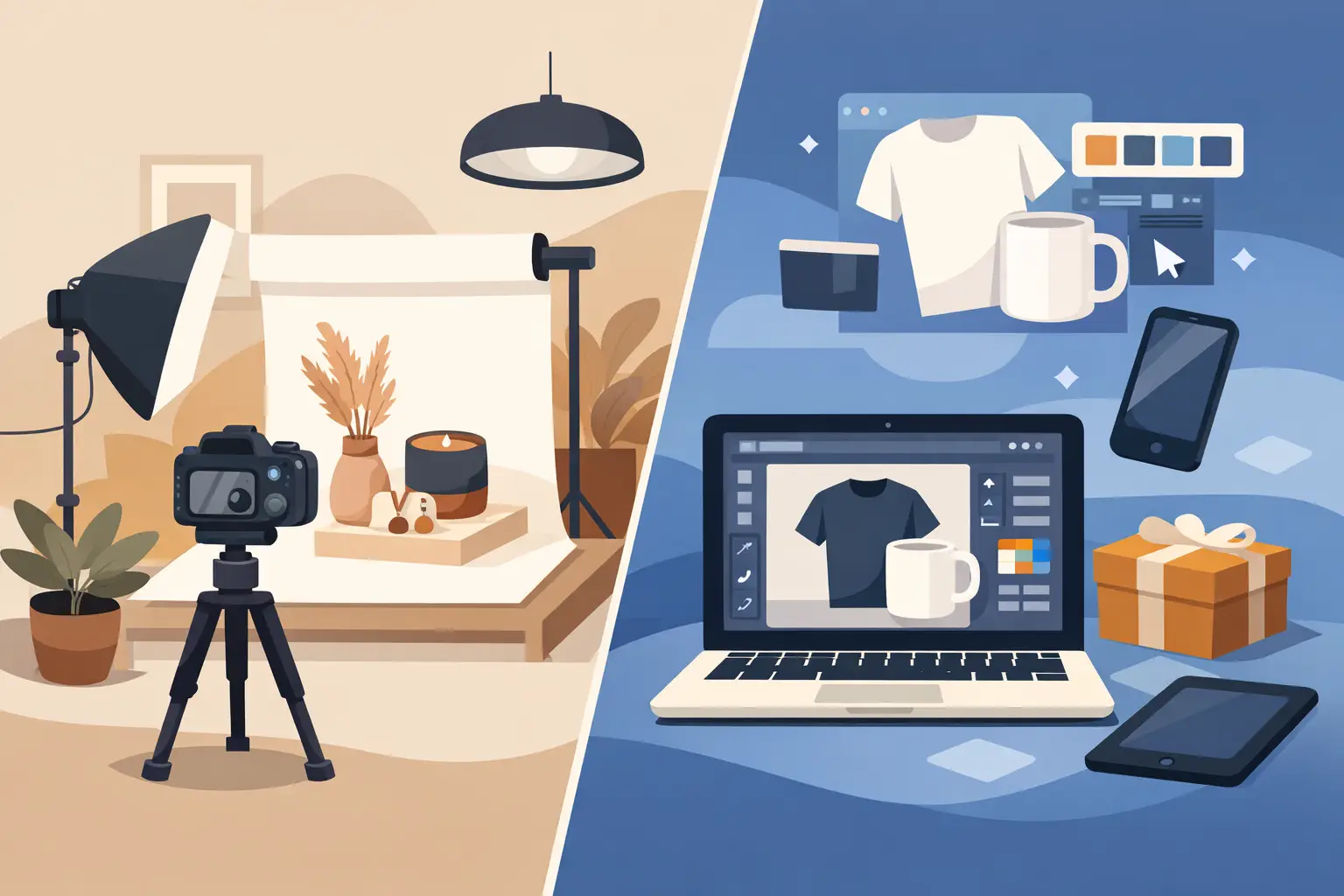
A garden flag can have a great design and still lose the click if it appears as a flat rectangle on a white background. The real question behind product photography versus mockups is not which option is more legitimate. It is which one gives your shopper enough confidence to picture your design on a porch, beside a fall path, or in a gift-ready holiday setting before they scroll to the next listing.
For Etsy and print-on-demand sellers, the answer is often a mix. Photography gives you proof of the physical item. Mockups give you speed, styling control, and the ability to launch a full seasonal collection without waiting for samples, weather, props, or a usable living room.
Product photography versus mockups: the practical difference
Product photography is an original image of a real, physical product. You order or make the item, arrange the scene, light it, photograph it, and edit the final image. If you sell a canvas tote bag, that means sourcing the tote, applying or printing the artwork, finding a model or setting, and photographing the finished piece.
A product mockup starts with a professionally prepared product scene. You place your artwork into an editable area, usually through a Photoshop smart object or a Canva-compatible PNG. The template applies the perspective, light, shadows, and texture so your flat design appears on the flag, pillow, or tote within the scene.
Both can create convincing listing images. The key difference is what you are producing. With photography, you are creating a scene from scratch. With a mockup, you are using a production-ready scene to merchandise your design.
That distinction matters when your shop has 20 new designs to list before Halloween, a personalized gift collection to update daily, or a spring launch that needs to be live before customers start shopping.
When original product photography earns its cost
Original photography is strongest when customers need to see details that a template cannot verify. If your product has a distinctive material, custom construction, unusual sizing, hand-finished elements, or print methods that vary from one order to the next, real photos build trust. They show what actually arrived from your supplier or studio.
Photography also gives you complete ownership of the creative direction. You can show the exact fabric weight of a pillow cover, the way a tote hangs on a shoulder, or the scale of a garden flag beside a front door. For established product lines, that level of control can become part of your visual brand.
It is especially useful once a product is selling consistently. A bestseller may justify ordering samples and investing in a small shoot because those images can support your Etsy listing, Shopify product page, email promotions, social content, and ads for months.
The trade-off is that photography takes more than a camera. You need the product sample, usable light or lighting equipment, styling props, a location, editing time, and enough experience to make the image look intentional. A rushed shoot can look less credible than a well-built mockup, particularly when shadows, color, wrinkles, and perspective do not match.
There is also a revision problem. Change a design, add a customer name, or introduce a new colorway, and you may need to photograph the product again. That is manageable for a few listings. It becomes expensive when your catalog depends on frequent seasonal and personalized variations.
Why mockups fit high-volume ecommerce workflows
Mockups are designed for the part of selling that happens before a buyer places an order: helping them imagine the finished product in their own life. A lifestyle garden flag on a welcoming porch creates more context than a standalone product cutout. A throw pillow placed in a cozy neutral living room makes the artwork feel like home decor. A tote bag in a farmers market scene suggests a use case in seconds.
For sellers working with print-on-demand partners, mockups also solve a practical timing issue. You can build polished listing imagery before you order a sample, and often before a new collection is fully finalized. That makes it easier to test product ideas, respond to trends, and prepare for seasonal demand without tying up cash in inventory and photography.
The workflow is straightforward. Add your design to the PSD smart object or Canva-ready file, export the finished image, and use it in your listing. A quality template handles the difficult visual work: product placement, fabric texture, folds, lighting, shadows, and camera angle.
This does not mean every mockup is equally effective. A generic scene that does not match your product, season, or audience can make a listing feel disconnected. A summer beach scene may not help sell a farmhouse Christmas pillow. The scene should support the product story rather than distract from the artwork.
For that reason, category-specific mockups are usually more useful than broad, one-size-fits-all templates. A garden flag should look properly installed outdoors. A square pillow should sit naturally on furniture. A canvas tote should have believable structure, handles, and fabric texture. Shoppers may not know why an image looks wrong, but they notice when it does.
The biggest decision factors for Etsy and POD sellers
Budget is often the first consideration, but it should not be the only one. A single original photo shoot may cost more than several mockup templates, especially after you include sample orders, props, and editing. On the other hand, a real sample can be worthwhile when it confirms quality and creates content you cannot get any other way.
Speed is the next factor. Mockups let you create multiple listing images in an afternoon. Photography requires planning and physical access to every version you want to show. If you sell personalized tote bags with names, dates, or family titles, a mockup workflow lets you update the artwork without restaging the scene.
Then consider consistency. Your storefront looks more professional when product images share a visual standard. Mockups can help you maintain a recognizable seasonal palette, camera angle, and lifestyle feel across a large collection. Photography can do the same, but only if you can repeat the setup reliably.
Finally, consider the claim your images need to make. If the image is primarily selling the design and the lifestyle around it, mockups are highly efficient. If it must prove an exact finish, construction detail, or supplier-specific result, product photography should play a larger role.
A stronger listing usually uses both
The best approach is rarely all mockups or all photography. Use mockups to build the visual system around your shop: hero images, seasonal scenes, color variations, personalized options, and social-ready promotions. Use original photos strategically for top sellers, close-up details, packaging, size reference, and any feature that needs real-world confirmation.
For example, a holiday garden flag collection could lead with a festive porch mockup that makes the design immediately feel at home. Additional images might show alternate designs in similar seasonal scenes, a clear size graphic, and one real sample photo that verifies the material and print quality. Each image has a job. The mockup earns attention; the real photo reduces hesitation.
This combination also protects your time. You do not need to wait for a photo shoot to launch every new idea, but you are not relying on styled imagery to answer every product question either. Your listings can move quickly while still giving buyers honest, useful information.
How to choose the right image for each listing
Start with the buyer's moment of uncertainty. If they are wondering whether a design matches their decor, show it in a relevant room, porch, or everyday setting. If they are wondering whether a tote is roomy enough or a pillow has the texture they expect, add a real image or a clear detail graphic.
Keep your scenes aligned with the purchase occasion. Autumn designs belong near warm entryways, leaves, and harvest styling. Christmas artwork benefits from porches, mantels, and gift-season settings. Everyday designs may need clean, flexible lifestyle scenes that will not date the listing after one holiday passes.
Be careful not to over-style every image. Your artwork should stay readable at Etsy thumbnail size. A beautiful scene with a tiny, hidden product is not doing its job. Choose a first image where the product is easy to identify, the design is large enough to understand, and the setting adds context without competing for attention.
For sellers who want a faster starting point, MockupSmith templates are built around the product categories and lifestyle scenes POD shops use most. The goal is not to replace your brand photography forever. It is to give every design a polished place to sell while you decide which products deserve a deeper investment.
Before you publish your next listing, ask one simple question: does this image help a shopper picture owning the product? If the answer is yes, you are already doing more than displaying a design. You are making the purchase easier to imagine.